39 Excel Venn Diagram From Data
Venn diagram - Wikipedia A Venn diagram may also be called a set diagram or logic diagram. It is a diagram that shows all possible logical relations between a finite collection of In Venn diagrams, the curves are overlapped in every possible way, showing all possible relations between the sets. They are thus a special case... How to Make a Venn Diagram in Excel | Lucidchart Create a Venn diagram in Lucidchart. Although Excel is primarily spreadsheet software, it does allow for some basic diagram creation. This page explains how to create Venn diagrams in Excel to complement your spreadsheets.
Free Venn Diagram Maker - Create Venn Diagrams | Visme Create Your Venn Diagram It's free and easy to use. Create Venn diagrams with 2,3,4 or more overlapping circles. Import your data sets and create fully select * from templates where type = 'infographic' and (category LIKE '%venndiagram%' or content_type LIKE '%venndiagram%' or name...
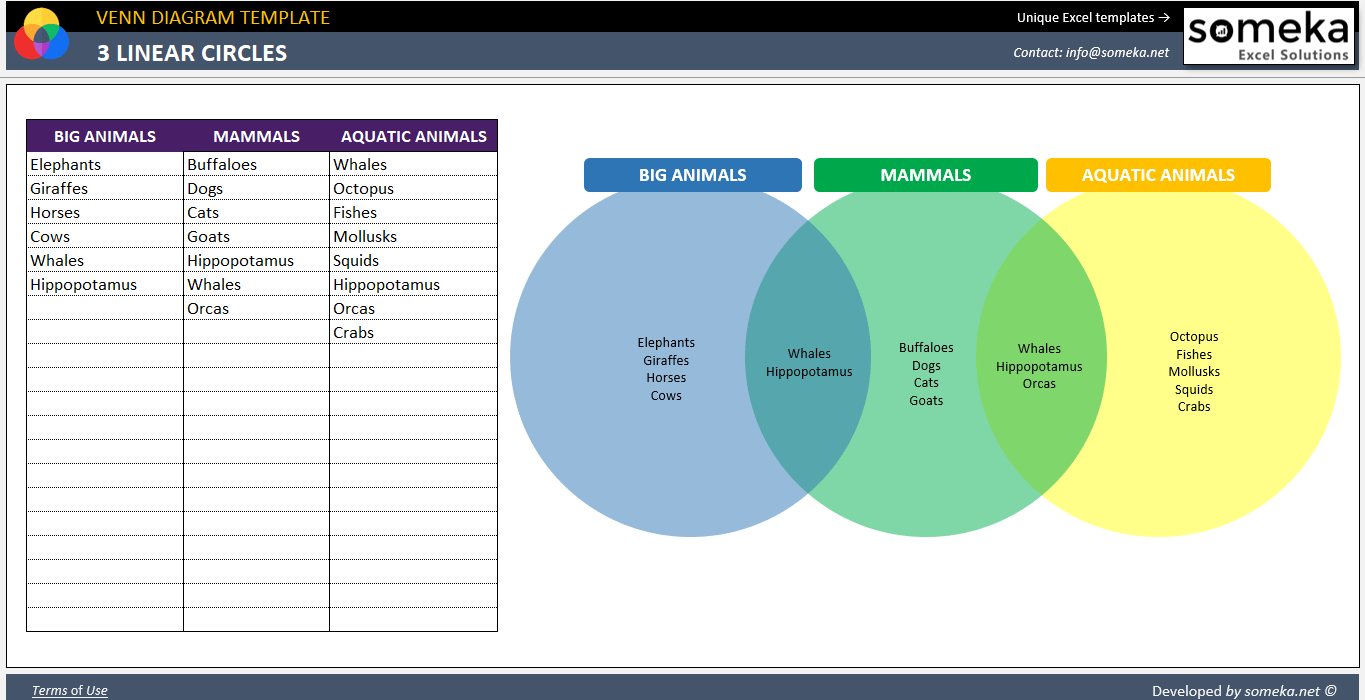
Excel venn diagram from data
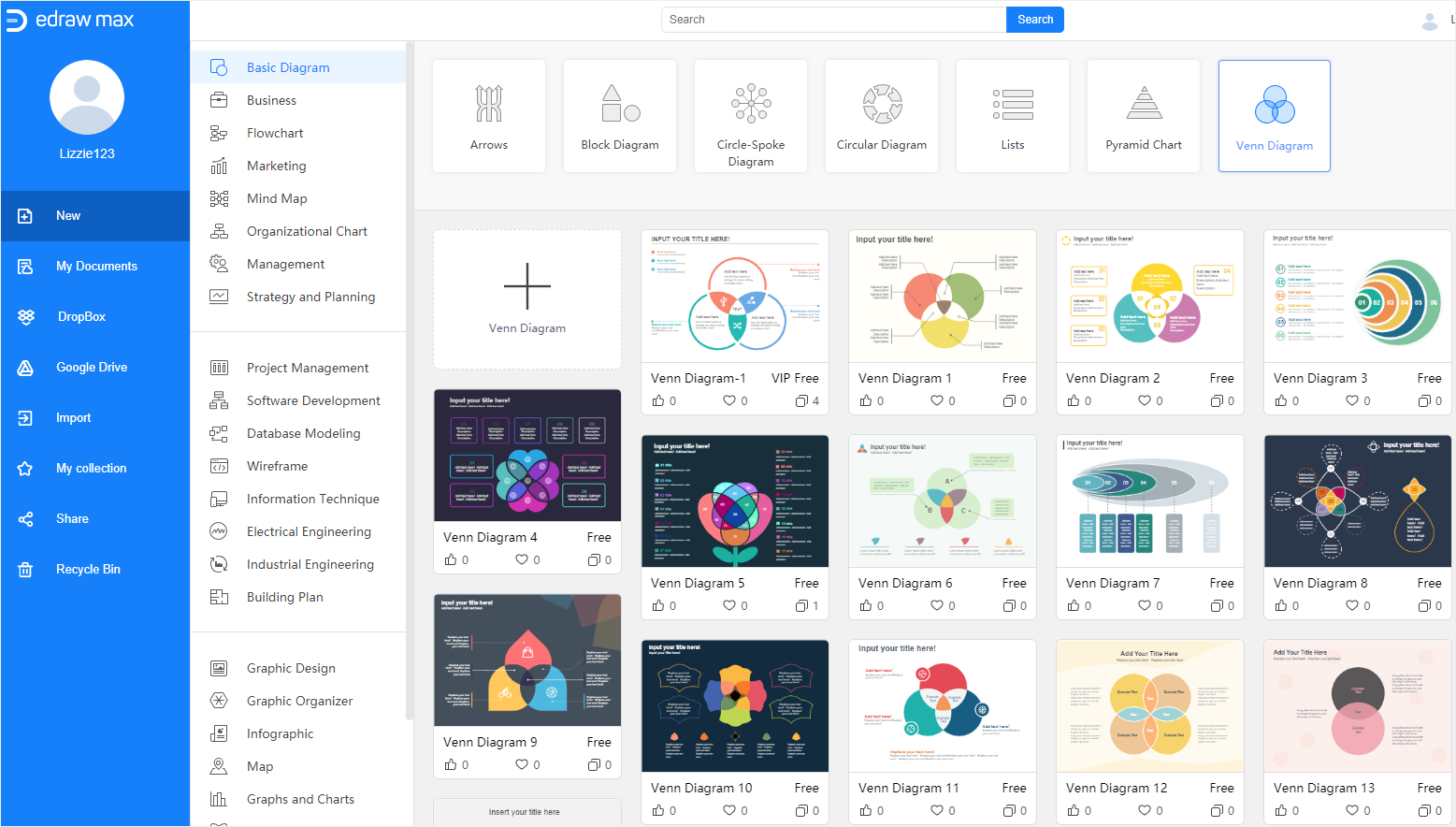
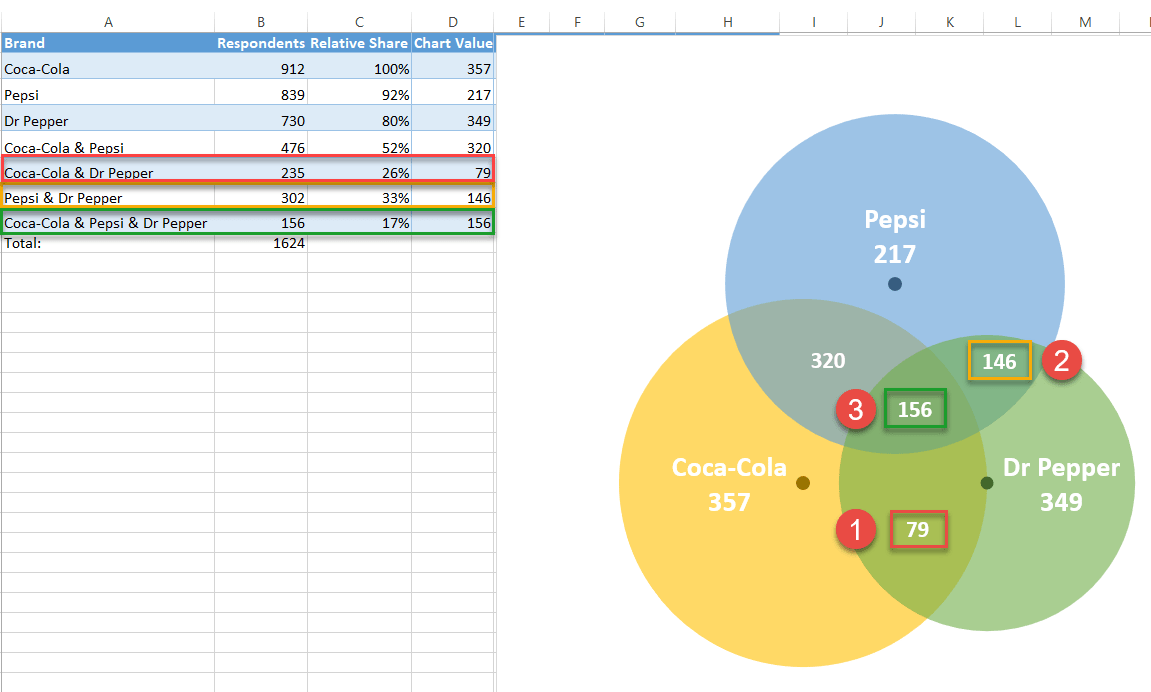
Venn Diagram Maker | Venn Diagram Creator Online | Creately Venn diagram maker to create Venn diagrams online. Venn Diagram Maker. Create Venn Diagrams Easily. Import data from Microsoft Excel, Google Spreadsheet, or CSV to centralize all of your information and maintain a single source of truth. How to Make a Venn Diagram in Excel | EdrawMax Online Excel is a very powerful tool in processing data, however, it still has many limitations on drawing diagrams. Here, EdrawMax is comparably suitable for Open (EdrawMax Online), find Venn Diagram in the Basic Diagram menu, and you'll see plenty of Venn diagram templates in the template gallery. How to create a Venn diagram in Excel | The LoveStats Blog Excel has a Venn diagram option in its SmartArt but three pretty identical circles doesn't do it for me. When the sizes of the circles are supposed to mean Step #1: I've put my raw data into Excel though it is completely unnecessary. For this technique, the data table can be written solely in your brain.
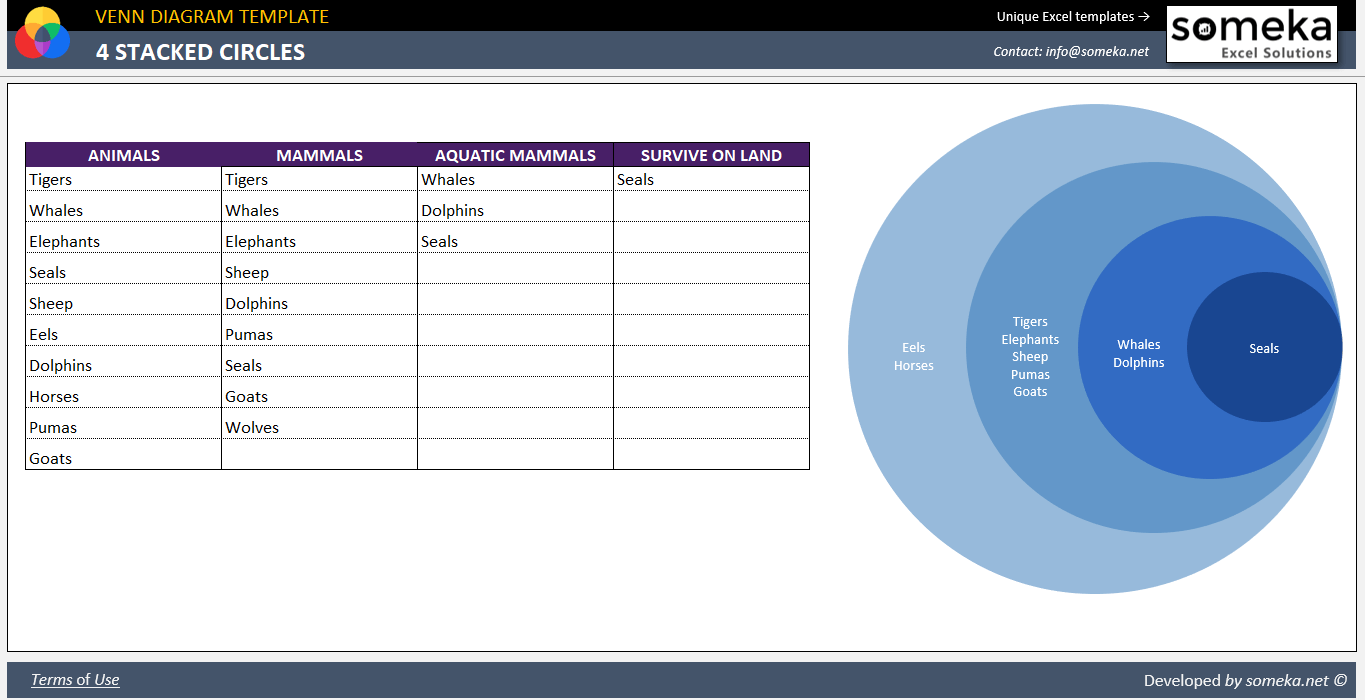
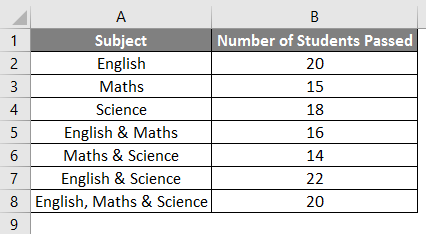
Excel venn diagram from data. Venn Diagram Examples: Problems, Solutions, Formula Explanation A Venn diagram is a simple but powerful way to represent the relationships between datasets. It makes understanding math, different types of data analysis , set theory and business information easier and more fun for you. Besides of using Venn diagram examples for problem-solving and comparing, you... Venn Diagram Excel Template | Visualize Your Set of Data Venn diagrams are a widely used method of visualizing how different sets of data relate to one another. The model was first created by a person called John Venn Diagram Template Features Summary: Dynamic Venn Diagram Maker in Excel. Easy to fill 8 different Venn Diagram Models. Venn Diagram - Overview, Symbols, Examples, Benefits A Venn diagram is a schematic representation of the elements in a set or a group. It is a diagram that shows all the possible logical relationships between a finite assemblage of Venn diagrams provide a powerful visual display of data, commonly used in presentations and business and scientific reports. Venn Diagram in Excel | How to Create Venn Diagram in Excel? A Venn diagram is a diagram or illustration of the relationships between and among sets (different groups of objects). It is a pictorial representation of logical or We have the following students' data in an Excel sheet. Now the following steps can be used to create a Venn diagram for the same in Excel.
Can we draw a proportional Venn diagram to illustrate ... Need to convert this data into a venn diagram. e.g. A alone 20. Because SPSS doesn't have an option for Venn diagrams i manually transfered the values to META CHART Venn Diagram maker online and desinged the chart...still I think there should be some easy way of doing this on data sets. Venn Diagram - from Data to Viz A Venn diagram (also called primary diagram, set diagram or logic diagram) is a diagram that shows all possible logical relationships between a finite A venn diagram makes a really good work to study the intersection between 2 or 3 sets. It becomes very hard to read with more groups than that and... Venn Diagram | Basic Charts | AnyChart Documentation A Venn diagram, named after John Venn, is a diagram representing all possible logical relations between a finite collection of different sets. Sets are shown as regions inside circles or other closed curves, and common elements of the sets are shown as intersections of these circles. 10 Best Venn Diagram Maker Online of 2022 [Free & Paid] Triple Venn diagram maker is a diagramming tool that allows for the visual organization of data. The diagram consists of three overlapping circles. Excel Venn diagram maker is a software that lets you create charts or graphs in Microsoft Excel. It has many chart types you can choose from, and it also...
Creating Venn Diagrams with Excel Data A Venn diagram is a type of chart that is often used in set theory—it shows different sets of data and how they relate to each other through intersecting You can, however, approximate a Venn diagram using the tools that Excel provides. If you aren't too interested in accuracy, you can use the drawing... Online tool to create custom Venn/Euler diagrams up to 6 sets and... Calculate and draw custom Venn diagrams. WHAT? With this tool you can calculate the intersection(s) of list of elements. It will generate a textual output indicating which elements are in each intersection or are unique to a certain list. If the number of lists is lower than 7 it will also produce a graphical output... How to REALLY make a Venn Diagram Chart in Excel - YouTube Unlike most Venn Diagram video, this one show how to make on as an Excel Chart... Not just a SmartArt graphic. The chart will alow you to add examples into... Using Excel to make a Venn diagram You will use an Excel workbook to create a Venn diagram. These can be printed, or can be displayed if you have classroom projection capability. After making the second circle, drag the circle away from the first circle, making an overlap. You don't yet have a Venn diagram, but we are close.
Venn Diagram Excel Template | Visualize Your Set of Data
How to connect Excel data to Venn diagrams so that each... - Quora Step 2: Select the basic diagram category, click on Venn diagrams, and create new Venn diagrams with all relevant symbols from the Venn chart library. Alternatively, you can create a Venn diagram of your own. Step 3: After creating the Venn diagrams, add the text, color schemes, and other symbols...
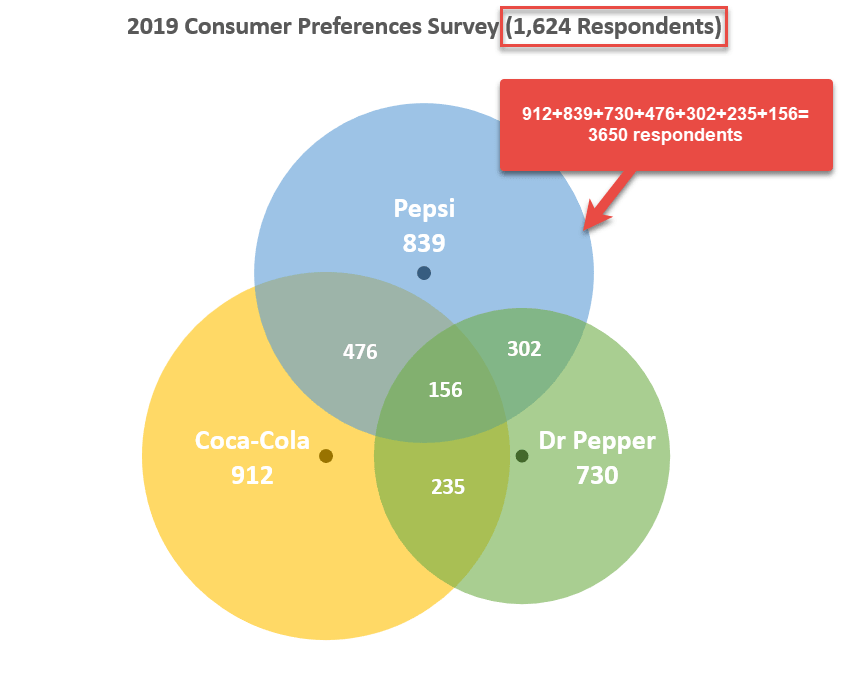
How to Create Venn Diagram in Excel - Free Template Download ...
Free Venn Diagram Maker by Canva Canva's Venn diagram maker is the easiest way to make a Venn diagram online. Start by choosing a template - we've got hundreds of Venn diagram Data visualization made easy - no complicated software to learn. Publish, share or download your high-resolution graph. Embed your Venn diagram...
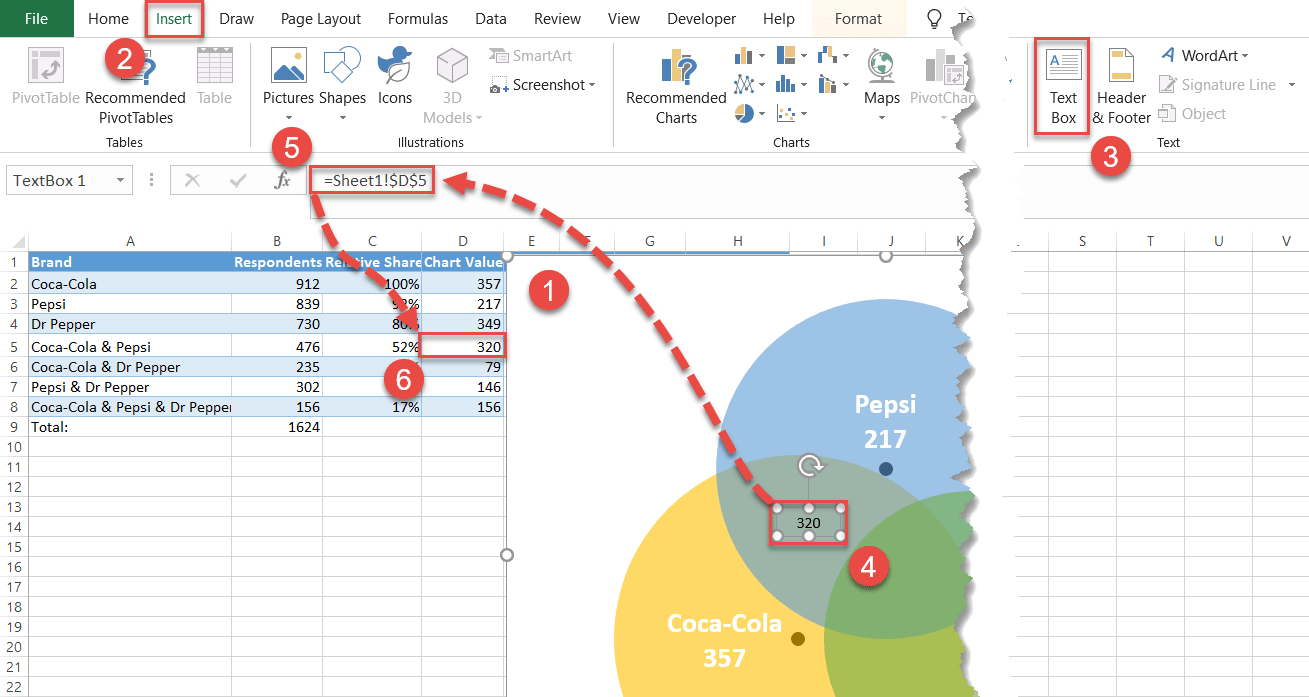
How to Create Venn Diagram in Excel - Free Template Download ...
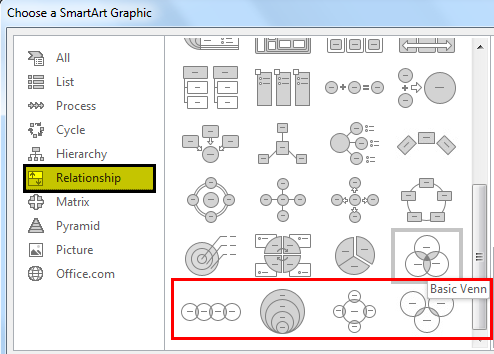
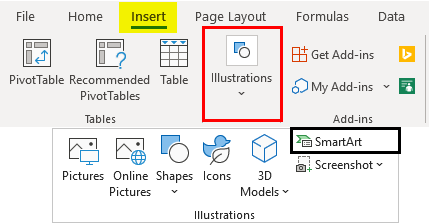
How to Create a Venn Diagram in Excel or Word | Techwalla Excel 2013 can't create Venn diagrams automatically out of data, the way it can create line graphs and pie charts, but you're not out of luck: the SmartArt tool helps to build diagrams, including Venn diagrams. As a universal Microsoft Office feature, SmartArt works in most Office programs.
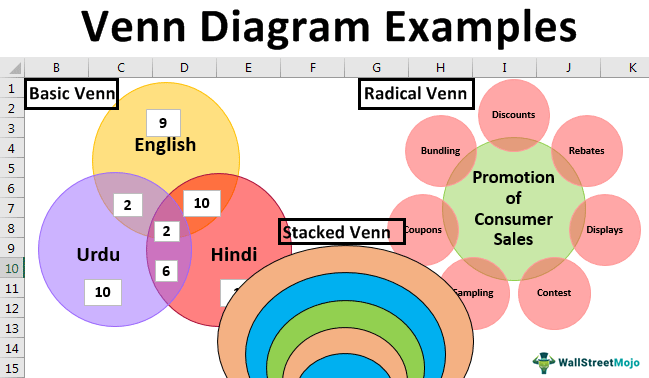
Venn Diagram Examples | Create Top 4 Types of Venn Diagram in ...
How to Make a Venn Diagram: 15 Steps (with Pictures) - wikiHow Use a Venn diagram to show relationships. A Venn diagram shows where ideas or things intersect. They usually consist of two or three overlapping circles Venn diagrams use sets of things. "Sets" is a mathematical term that means a collection. In math, sets are denoted by curlicue brackets, such as in...
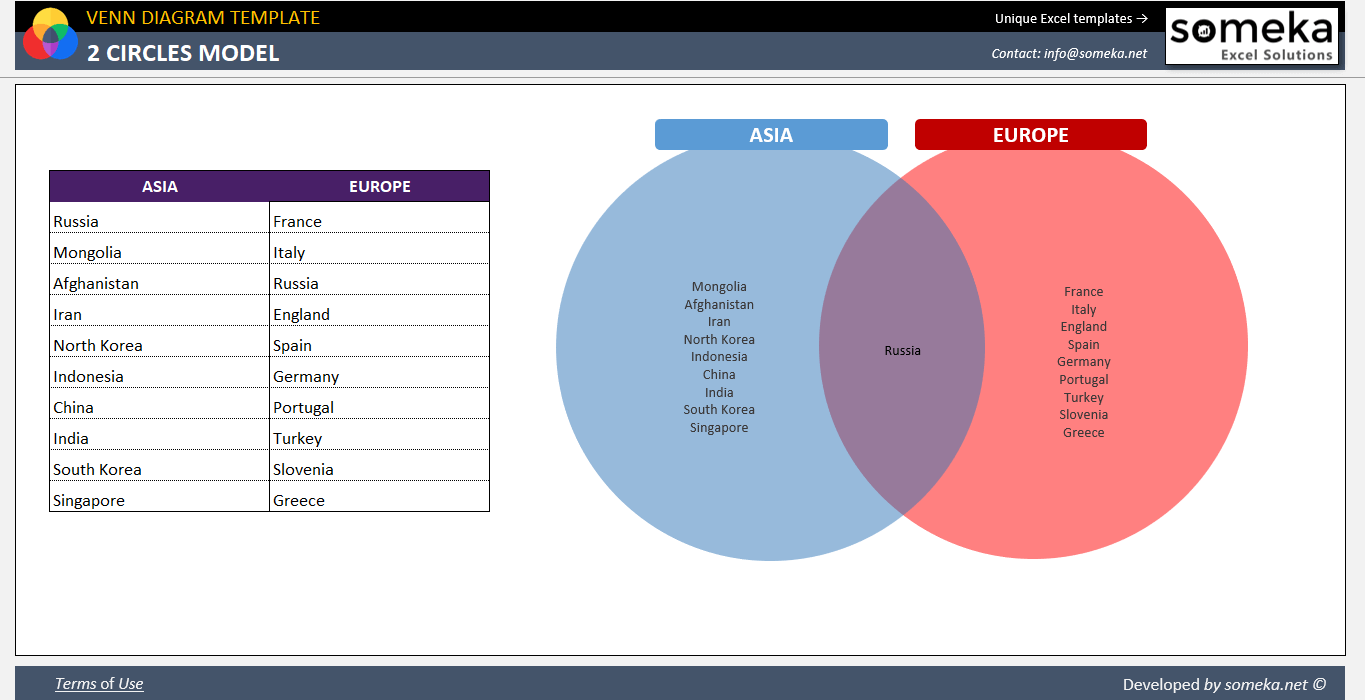
Venn Diagram Excel Template | Visualize Your Set of Data
How to Create Venn Diagram in Excel - Free Template Download Venn Diagram - Free Template Download. Getting Started. Prep Chart Data. A Venn diagram is a chart that compares two or more sets (collections of data) and illustrates the differences and commonalities between them with overlapping circles.

What is the best software for drawing a VENN diagram?
How to Make Venn Diagrams in Excel | Small Business - Chron.com A Venn diagram illustrates the differences and similarities between two or more groups or concepts. The next time you want to demonstrate the relationship between data, consider creating a Venn diagram. You can create and customize Venn diagrams in Excel with a few mouse clicks.
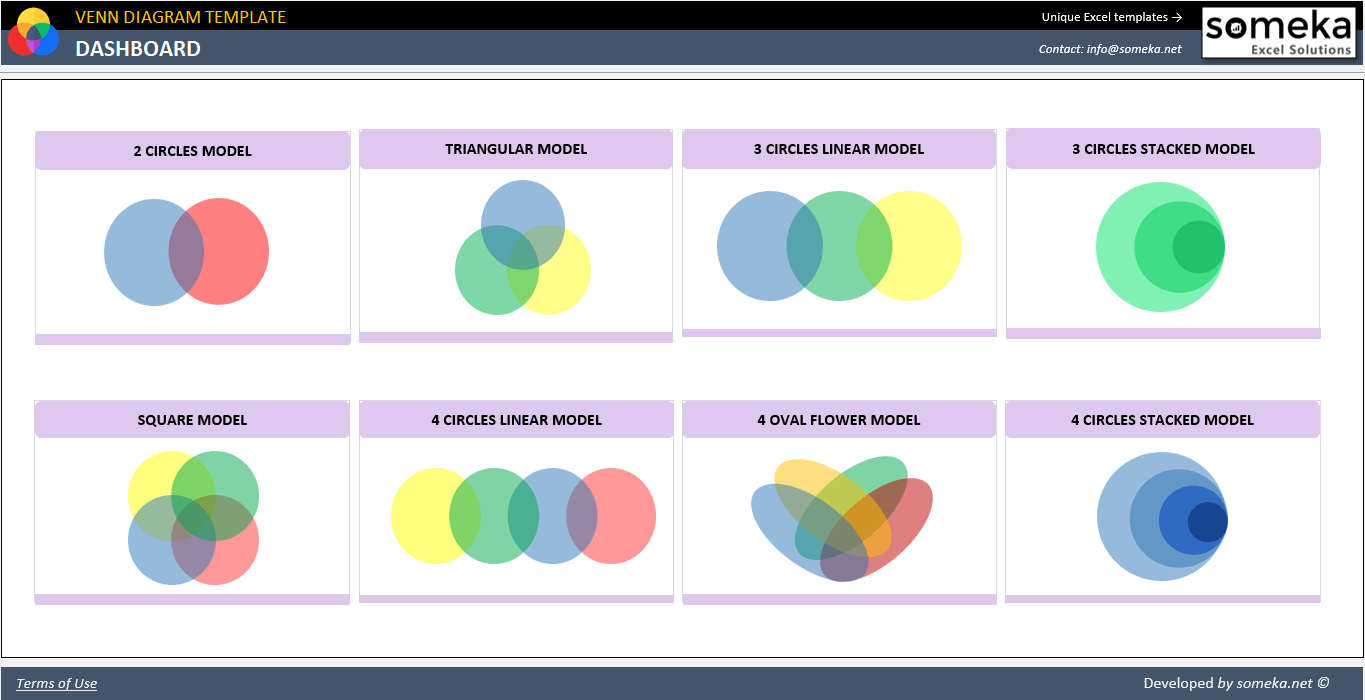
Venn Diagram Excel Template | Visualize Your Set of Data
Venn Diagrams In Excel Unlike most Venn Diagram video, this one show how to make on as an Excel Chart... Not just a SmartArt graphic. The chart will ... Here we show you how to make a Venn diagram in less than 2 mins with BioVinci: 1. Import your data (CSV, TSV, Excel
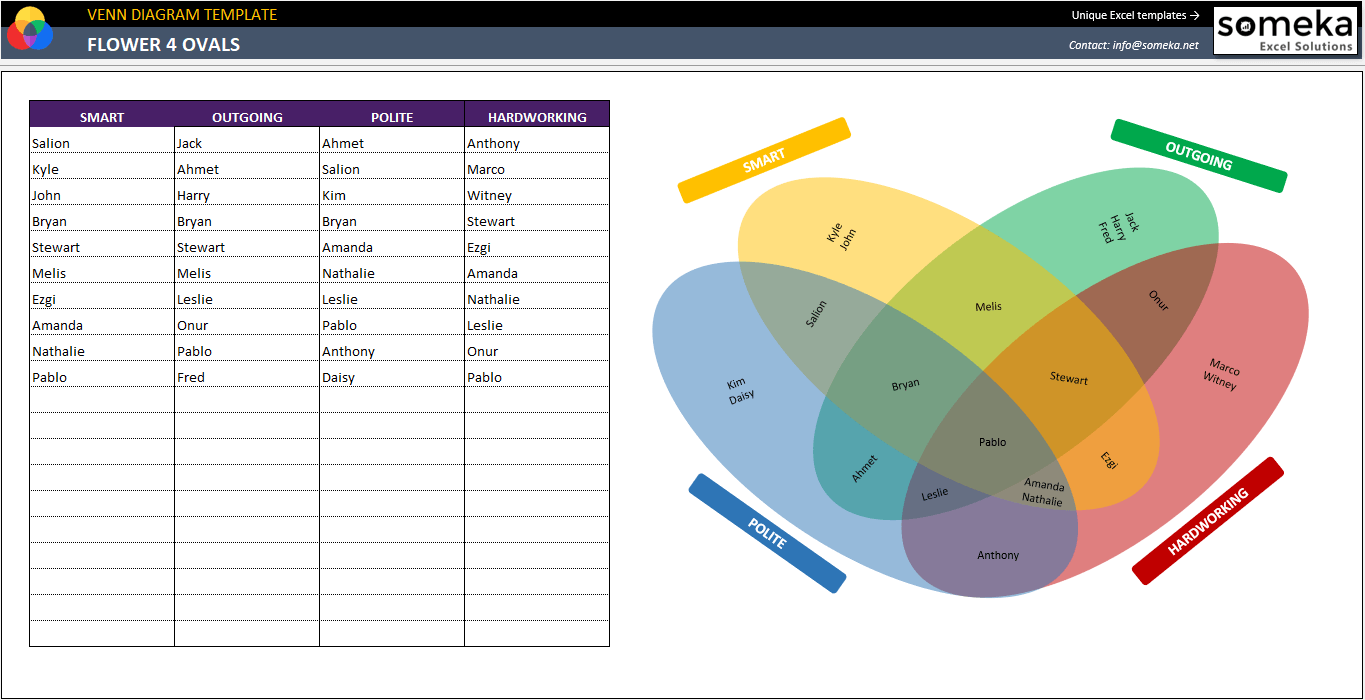
Venn Diagram Excel Template | Visualize Your Set of Data
How to connect Excel data to Venn diagrams so that each ... How can I connect Excel data to Venn diagrams so that each circle's size represents a numeric value I present in a tabular form?2 answers · 3 votes: One way is SmartArt, but the circle of SmartArt can’t link to the value. So bubble chart ...
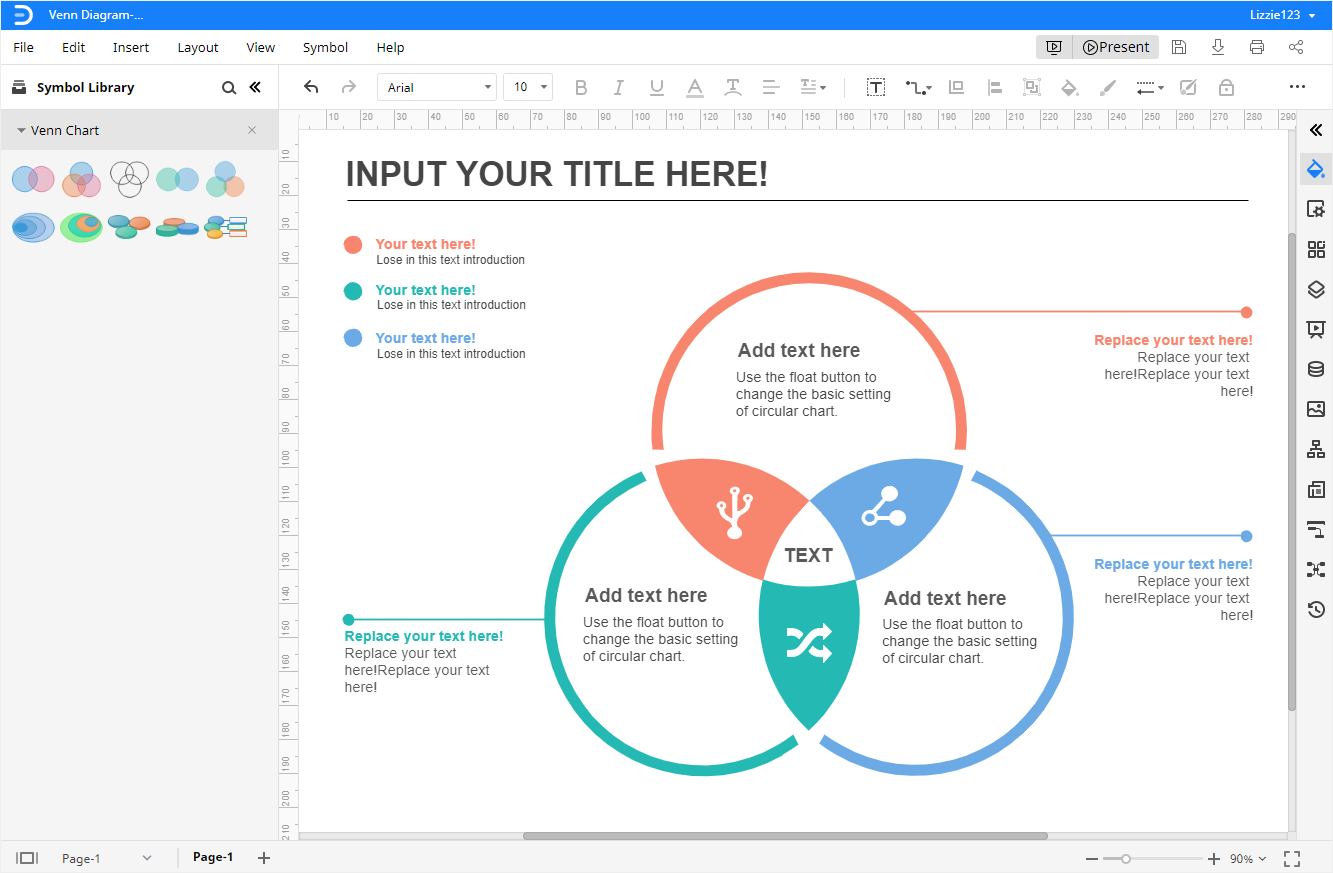
How to Make a Venn Diagram in Excel | EdrawMax Online
PDF V is for Venn Diagrams | data test; do x = 1 to 100; y = x; output; end GTL For normal venn diagrams. Firstly a data set named TEST was created, which had two variables X and Y and had values ranging from 1 to 100. %if &venn_diagram = 2 %then %do; data merged_elements; merge AB A1 B1; by make; where make ne ""
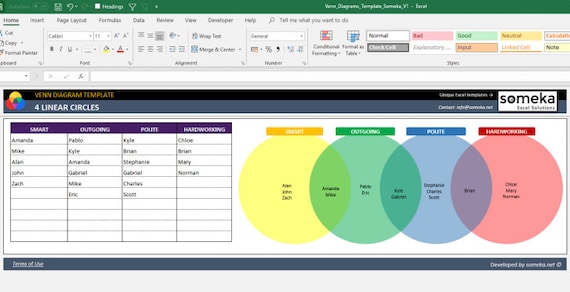
Venn Diagram Template Excel Template Visualize Your Set of | Etsy
Create a Venn diagram Create a Venn diagram. Excel for Microsoft 365 Word for Microsoft 365 Outlook for Microsoft 365 PowerPoint for Microsoft 365 Excel 2021 Word 2021 A Venn diagram uses overlapping circles to illustrate the similarities, differences, and relationships between concepts, ideas, categories, or groups.
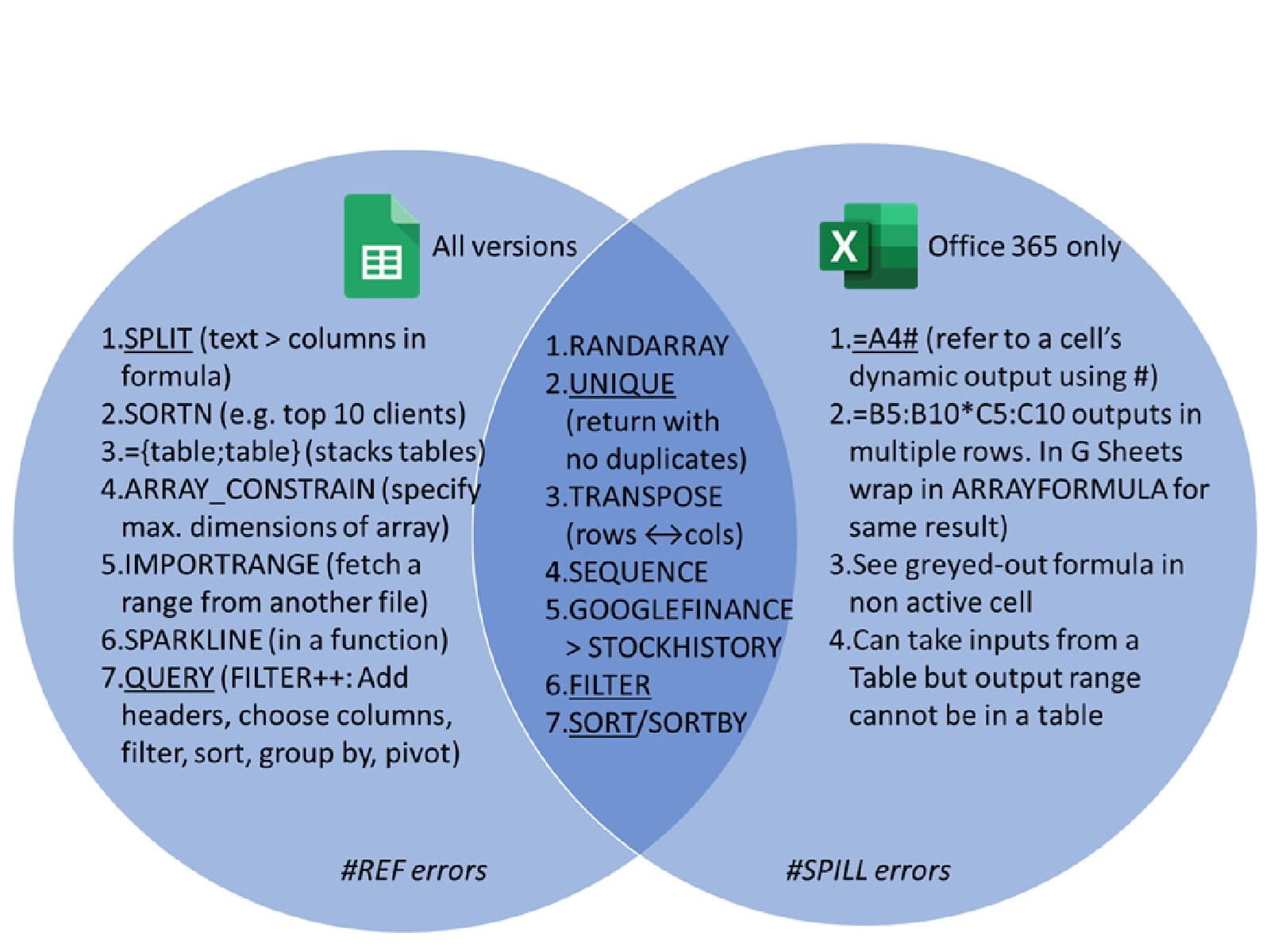
Dynamic arrays: Google Sheets vs Excel | ICAEW
How to Create Venn Diagram in Excel (Using Shapes & Smart Art) #2 Create Venn Diagram Using Shapes in Excel. Step 1: Go to the Insert tabInsert Tab In excel "INSERT" tab plays an important role in analyzing the data. Like all the other tabs in the ribbon INSERT tab offers its own features and tools. Under Insert Tab we have several other groups including tables...

How to connect Excel data to Venn diagrams so that each ...
Drawing of charts and diagrams in Excel Now we are constructing the diagram according to the data of the Excel table, which must be signed with the title How not to create a table, its data will be less readable than the graphical representation in diagrams and charts. For example, pay attention to the picture
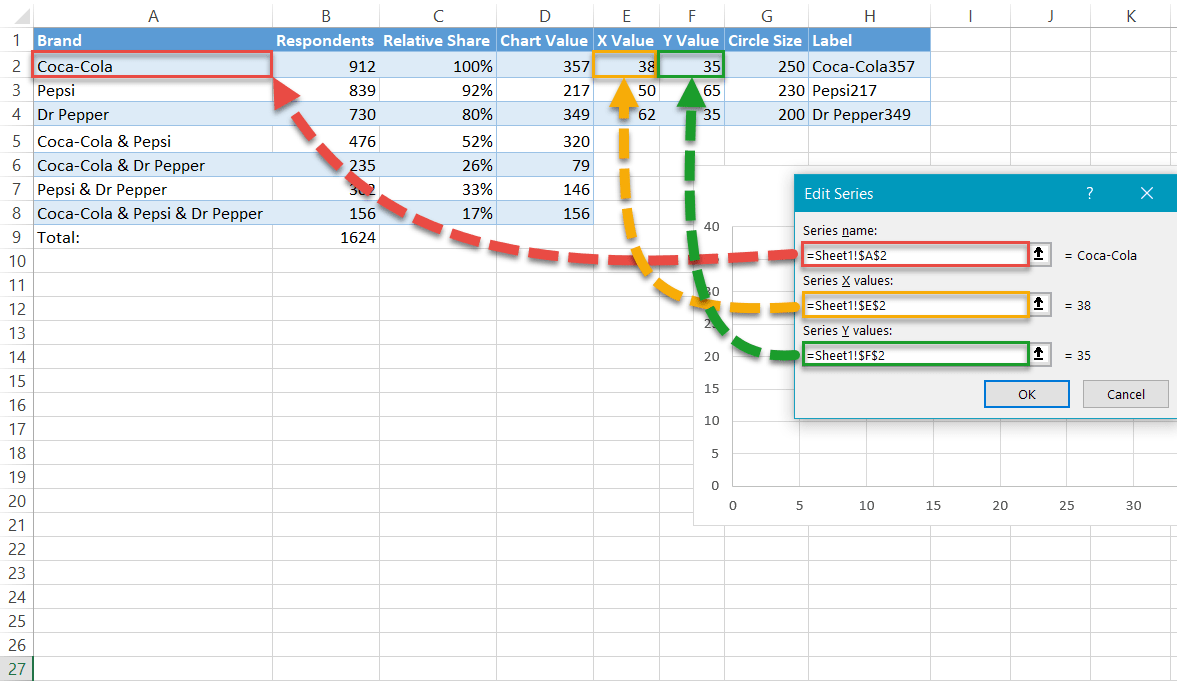
How to Create Venn Diagram in Excel - Free Template Download ...
How to create a Venn diagram in Excel | The LoveStats Blog Excel has a Venn diagram option in its SmartArt but three pretty identical circles doesn't do it for me. When the sizes of the circles are supposed to mean Step #1: I've put my raw data into Excel though it is completely unnecessary. For this technique, the data table can be written solely in your brain.

Using Sets for Data Analysis - Practical Business Python
How to Make a Venn Diagram in Excel | EdrawMax Online Excel is a very powerful tool in processing data, however, it still has many limitations on drawing diagrams. Here, EdrawMax is comparably suitable for Open (EdrawMax Online), find Venn Diagram in the Basic Diagram menu, and you'll see plenty of Venn diagram templates in the template gallery.

Create a Venn diagram
Venn Diagram Maker | Venn Diagram Creator Online | Creately Venn diagram maker to create Venn diagrams online. Venn Diagram Maker. Create Venn Diagrams Easily. Import data from Microsoft Excel, Google Spreadsheet, or CSV to centralize all of your information and maintain a single source of truth.

The New Data Scientist Venn Diagram | What's The Big Data?

How to Make a Venn Diagram in Excel | Lucidchart

How to add intersection numbers in venn diagram from Venn ...
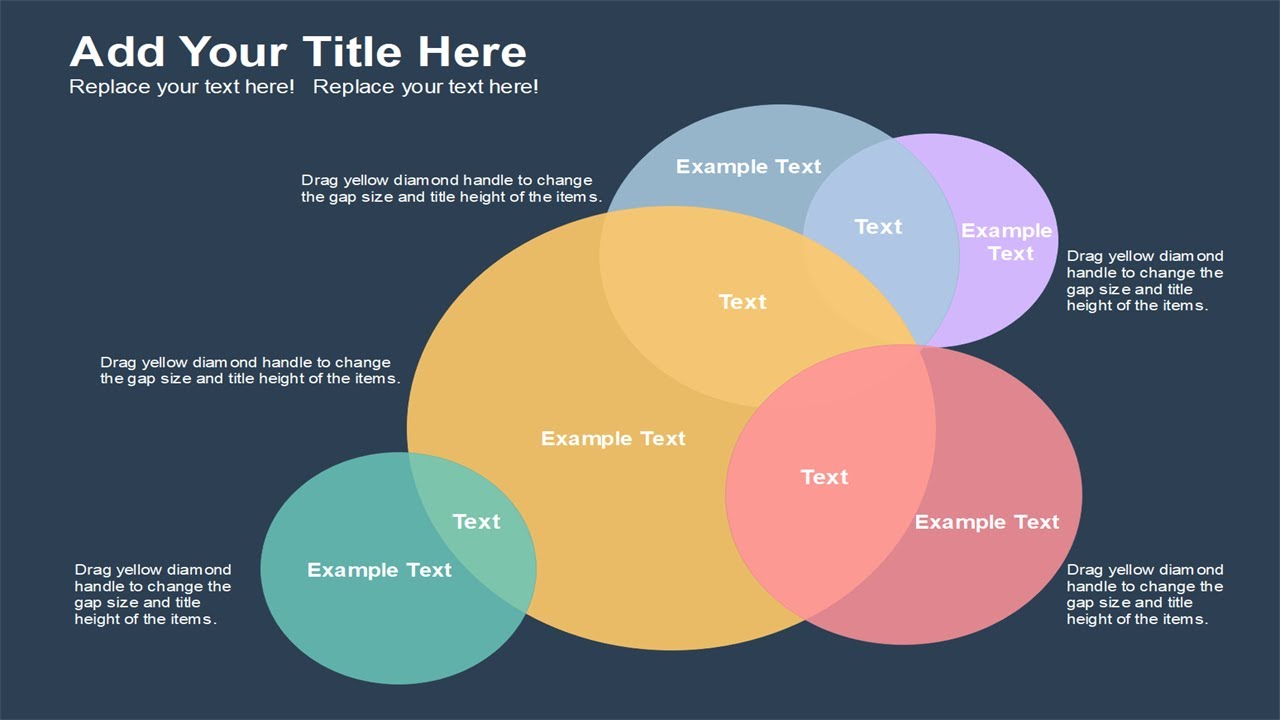
How to Create Venn Diagrams Automatically| EdrawMax
How to Make a Venn Diagram in Excel | EdrawMax Online

Quickest way to plot a Venn diagram for 3,4,5, or 6 sets?

How to Create a Venn Diagram
Venn Diagram Excel Template | Visualize Your Set of Data

Creating a Venn Diagram in Excel
Best Tools for Creating Venn Diagrams

Venn Diagram Maker | Venn Diagram Creator Online | Creately

Data Miners Blog: Creating Accurate Venn Diagrams in Excel ...

Can't we just make a Venn diagram? - Duke Libraries Center ...
How to Create Venn Diagram in Excel (Using Shapes & Smart Art)
Solved] Making Venn Diagram in Excel - Microsoft Office Forums
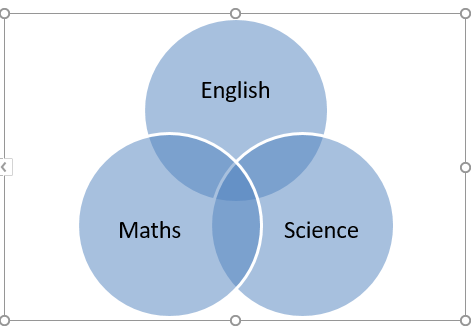
Venn Diagram in Excel | How to Create Venn Diagram in Excel?
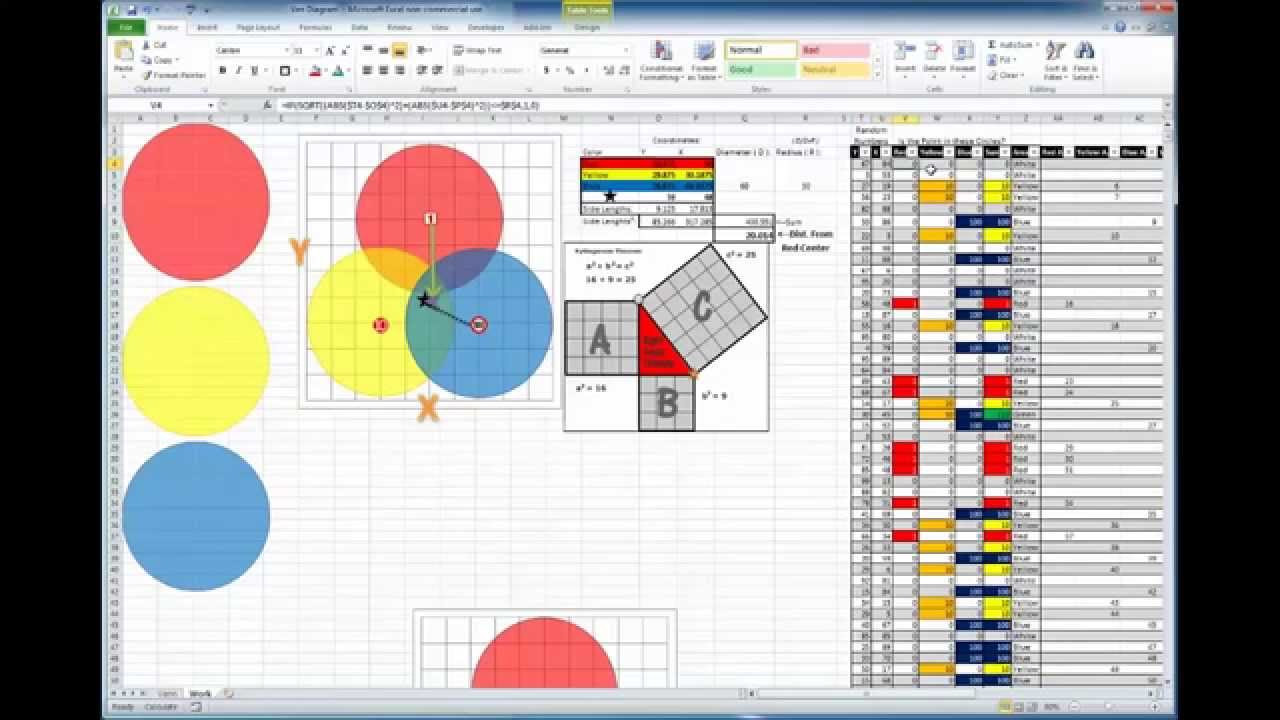
How to Really Make a Venn Diagram 2

Can't we just make a Venn diagram? - Duke Libraries Center ...
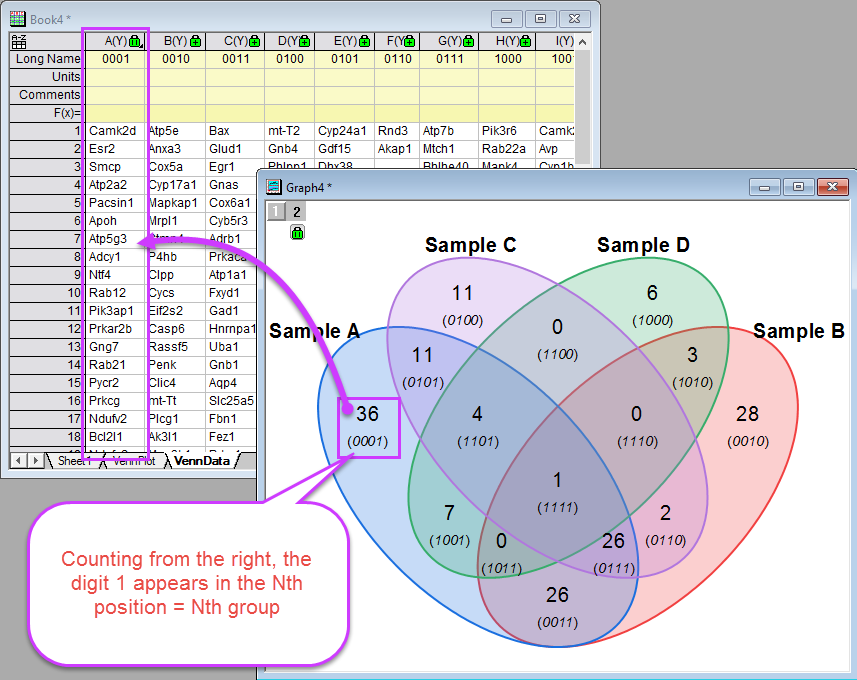
Venn Diagram - File Exchange - OriginLab

How to create a Venn diagram in Excel | The LoveStats Blog
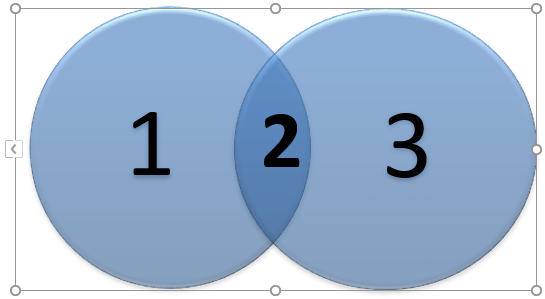
Venn Diagram in Excel | How to Create Venn Diagram in Excel?
Venn Diagram in Excel | How to Create Venn Diagram in Excel?
How to Create Venn Diagram in Excel - Free Template Download ...
Venn Diagram in Excel | How to Create Venn Diagram in Excel?


Comments
Post a Comment